
The short version
- First
- Finish the Complete this session card: set the wind and drop the windward mark on the map. Beat coaching and laylines need both.
- Then
- Scroll to the Coach card. Tap a leg, swipe through its findings, and see how many seconds each one cost.
- If something looks wrong
- It's usually the wind. Open the map, turn the wind rose until it lines up with the course, and everything recalculates.
These screens are from a short practice race recorded for this walkthrough: one beat, one run and four tacks. Your own races will have more to say. Everything here is on the iPhone, in the Logbook. The watch records the race and sends it to the phone, and the phone is where you read it.
1. Complete the session
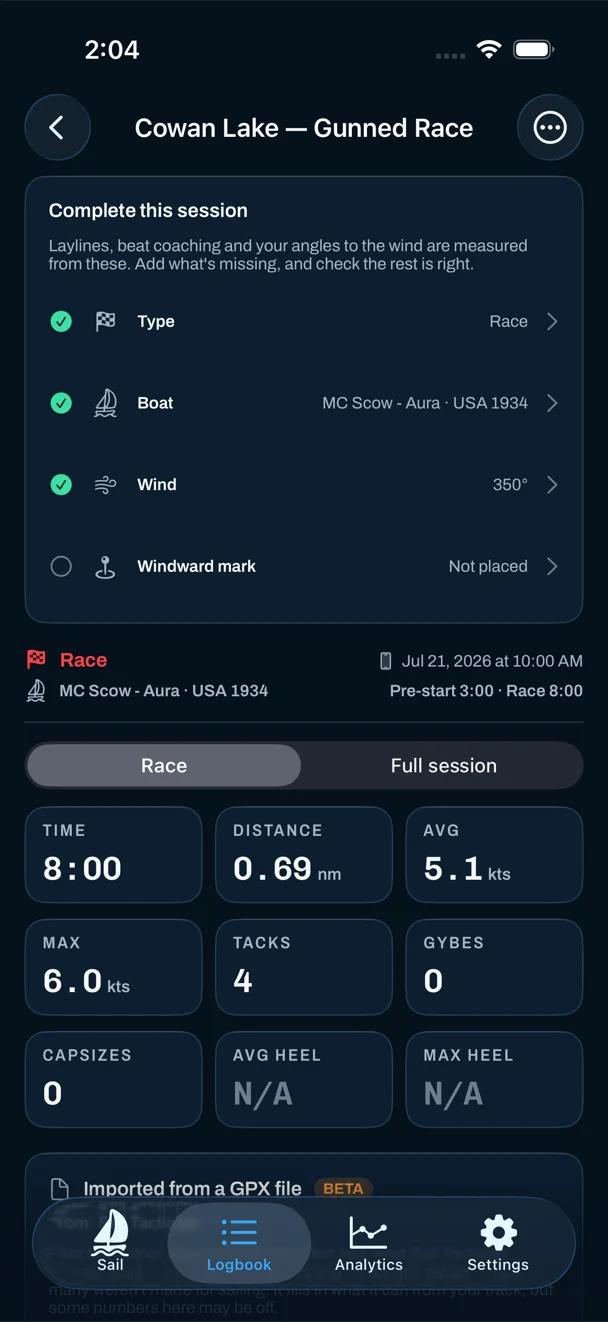
Open the race in the Logbook. While anything the analysis needs is missing, a Complete this session card sits at the top and lists it: the session type, the boat, the wind and the windward mark. Each row with a check is done. Tap any row to set it. A race recorded in the app usually needs only the mark; a race imported from another watch may need more.
2. Drop the windward mark
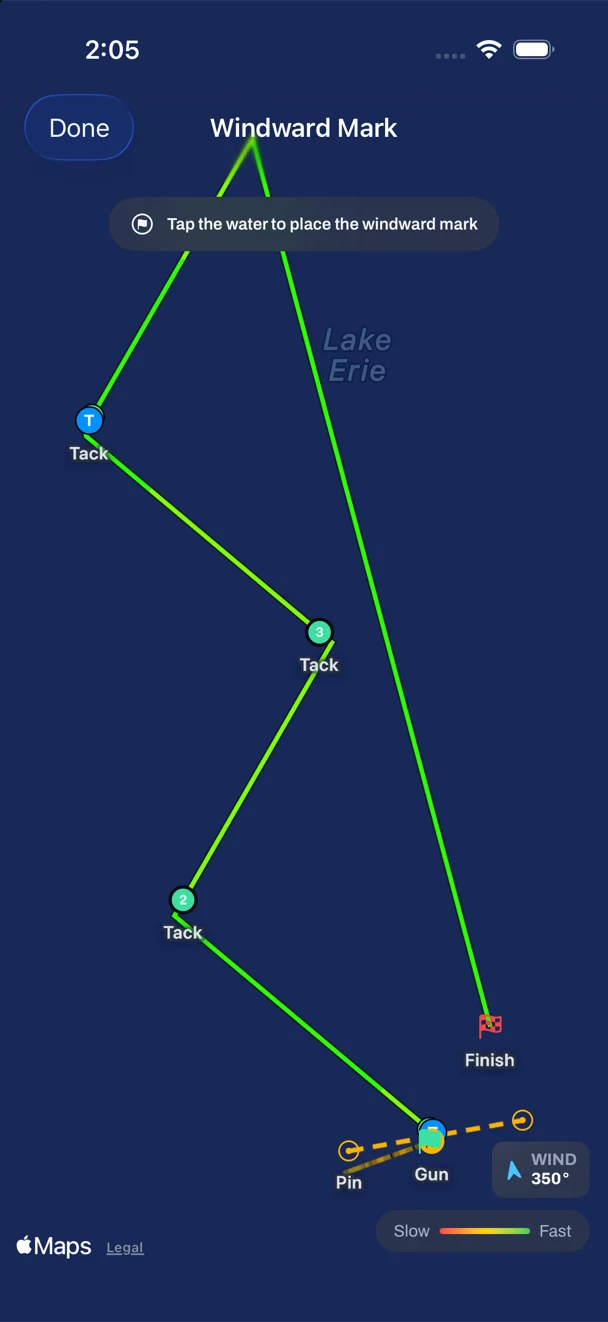
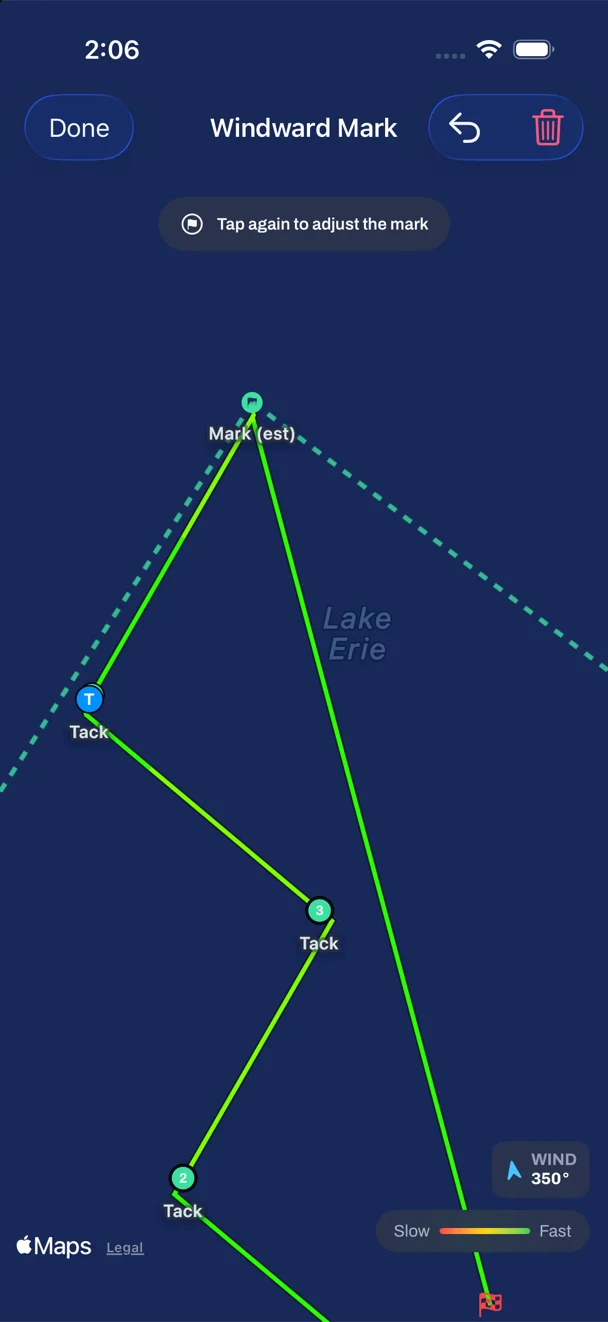
Tap Windward mark. The race opens on a map with your track, the start line and the gun. Tap the water where the mark was, which is usually the top of the beat where your track turns downwind. Tap again to move it. That's all it takes for the app to draw the laylines and measure every beat against the shortest route.
You don't need to have pinged the mark on the water. Nobody has a free hand at a rounding, which is why it's placed afterwards. If you didn't state a wind, placing the mark gives the race one too, worked out from the start to the mark.
3. Check the wind
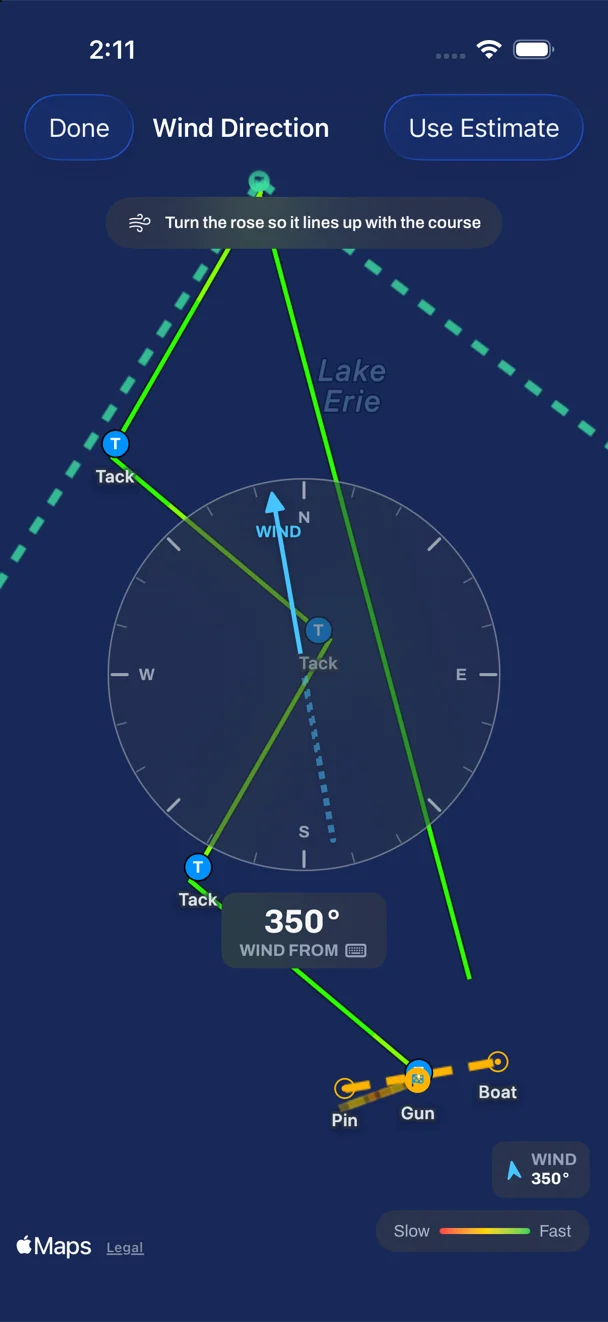
Every post-race number that depends on the wind (tack or gybe, VMG, laylines, the beat findings) uses the direction stored with the race. If it's off, they're all off. A wind that's backwards is the usual reason a race reads strangely, for example tacks counted as gybes.
To check it, open the race's map and tap the wind tool. A compass rose appears over your track. Turn it until the arrow lines up with the beat. Tap the number underneath to type an exact bearing, or tap Use Estimate to take the app's own estimate. Close the rose and the analysis recalculates.
4. Read the Coach card
Scroll to the bottom of the race. The Coach card shows one finding at a time, each with how many seconds it cost at your own speed, and the two that cost most come first.
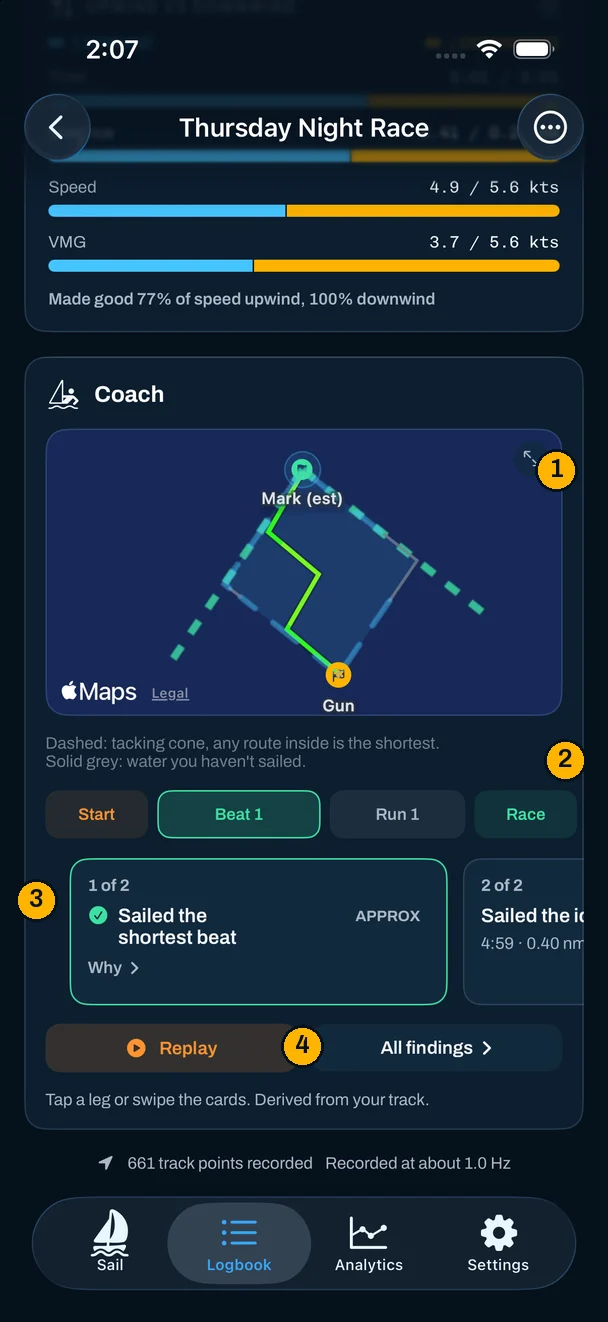
- The map frames whatever card you're on. On a beat it draws the tacking cone, the region between the two laylines. Every two-board route inside it is the same length, so no "ideal line" is drawn. Tap the map to open it full screen.
- The leg chips: Start, each leg in order, then Race for findings that belong to no single leg. Orange has something to work on, green is a clean leg.
- The finding, with its cost. Swipe for the next one. Why explains it, and where a drill trains it, the card names the drill. A green check is something that went well.
- Replay plays the race back with each cue popping up as the boat reaches it. All findings opens the complete lists for beats, maneuvers and the start.
A finding marked APPROX rests on a reconstructed wind or a mark placed by eye. It's still worth reading, but it's an estimate, and the card says so rather than hiding it.
5. Explore the map
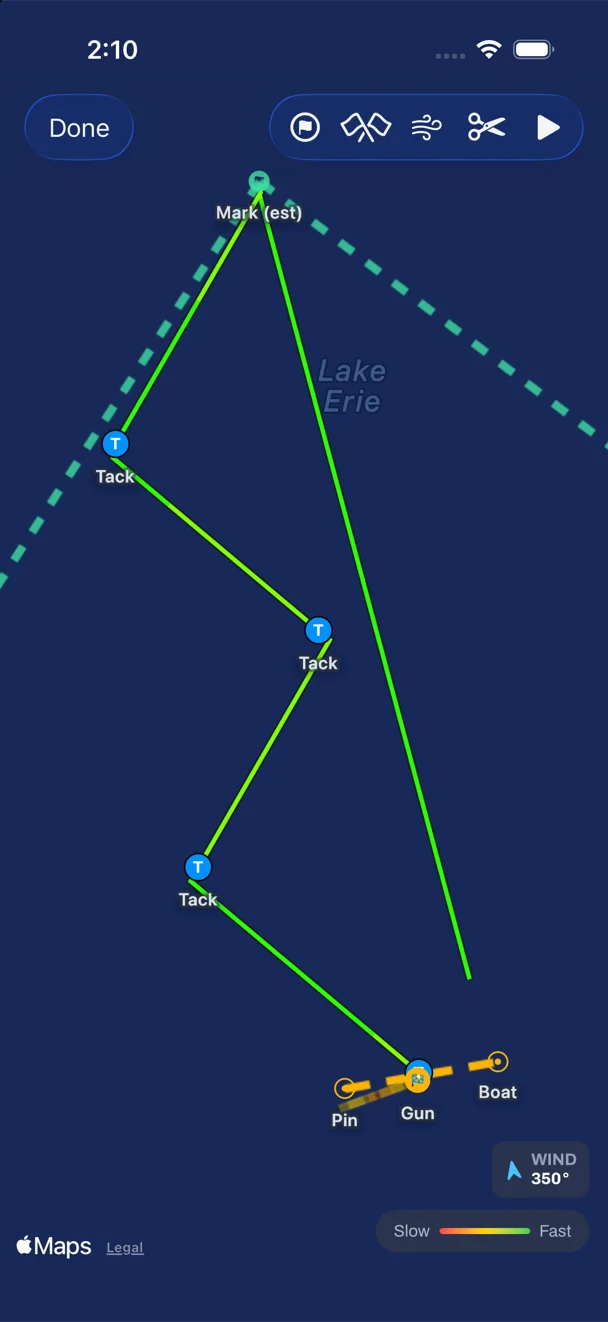
The full-screen map shows the whole race: the track colored by speed, each tack and gybe, the start line and the gun, the mark and its laylines. From its toolbar you can move the start line ends and the windward mark, set the wind, trim the session, and play the race back.
Questions
Why doesn't my race show beat coaching?
Beat findings need a wind and a windward mark. Place the mark on the map and set the wind (or let the mark supply one), and the beats are measured. A cruise has no Coach card at all, because it has no course.
Do I need to ping the windward mark on the water?
No. Neither the watch nor the phone captures it live. You place it on the map afterwards, where the turning point of the beat is easy to see.
The race says I did gybes when I tacked. What's wrong?
Almost always the wind: it's stored backwards. Open the map, tap the wind tool and turn the rose until it lines up with the beat. The tack and gybe counts recalculate.
Is the Coach card free?
The full debrief, Coach card included, is free on your first five recorded sessions. Pro opens it on every race in your history.
What changed
- First published.
Put a racing instrument on your wrist.
Start line, wind shifts and VMG at a glance, and a coach in your pocket afterwards. Free to download for Apple Watch and iPhone, with the full debrief on your first five races.
Download on the App Store