
The short version
- Who it's for
- Day sailors and owners of older keelboats, daysailers and dinghies with few or no instruments.
- What you get
- Speed, heading, distance and time at the helm; sunset and daylight left before you go; and every day out mapped in your Logbook.
- What you need
- An iPhone, optionally an Apple Watch, and for a helm display a waterproof case and a bracket. Nothing wired into the boat.
- What it costs
- Cruise recording and the readouts are free, with the full analysis on your first five sessions.
Sail Tactician is a racing app, but a lot of good sailing has no start gun. Cruise mode drops everything a race needs and keeps what helps on any sail. The full walkthrough is in a sailing log and instrument panel for any boat; this page is the quick version.
Just Start
Choose Cruise as the session type, or make it your default in Settings. There's no countdown, no start line and no tactics. Tap Start and recording begins straight away; tap End when you're back.
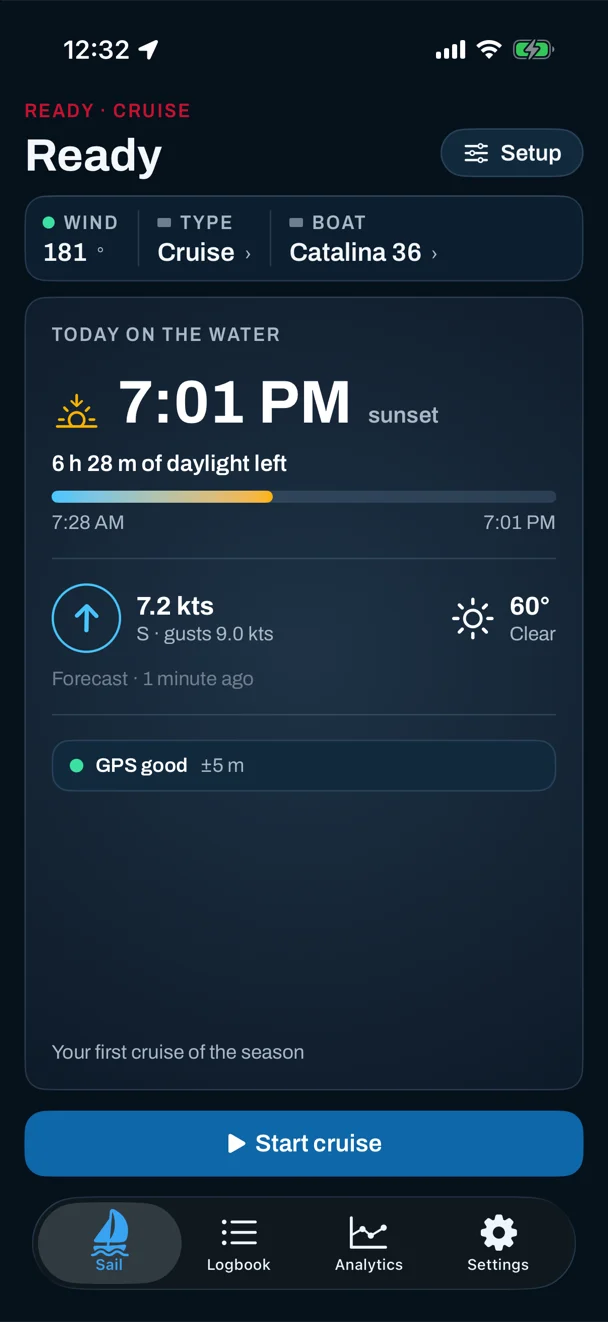
Before you set off, the screen shows the day: sunset and the daylight left, worked out on the phone itself so it's there with no signal; the forecast wind, gusts and conditions; and whether GPS has a fix and the battery is ready.
A display at the helm
A cruise opens on its own Cruise view: speed, heading, distance, elapsed time, and average and top speed, in large type. Mount the iPhone in a waterproof case, turn on Phone Mounted, level it once at the dock, and add heel and trim. On the wrist, the Apple Watch shows its own cruise pages.
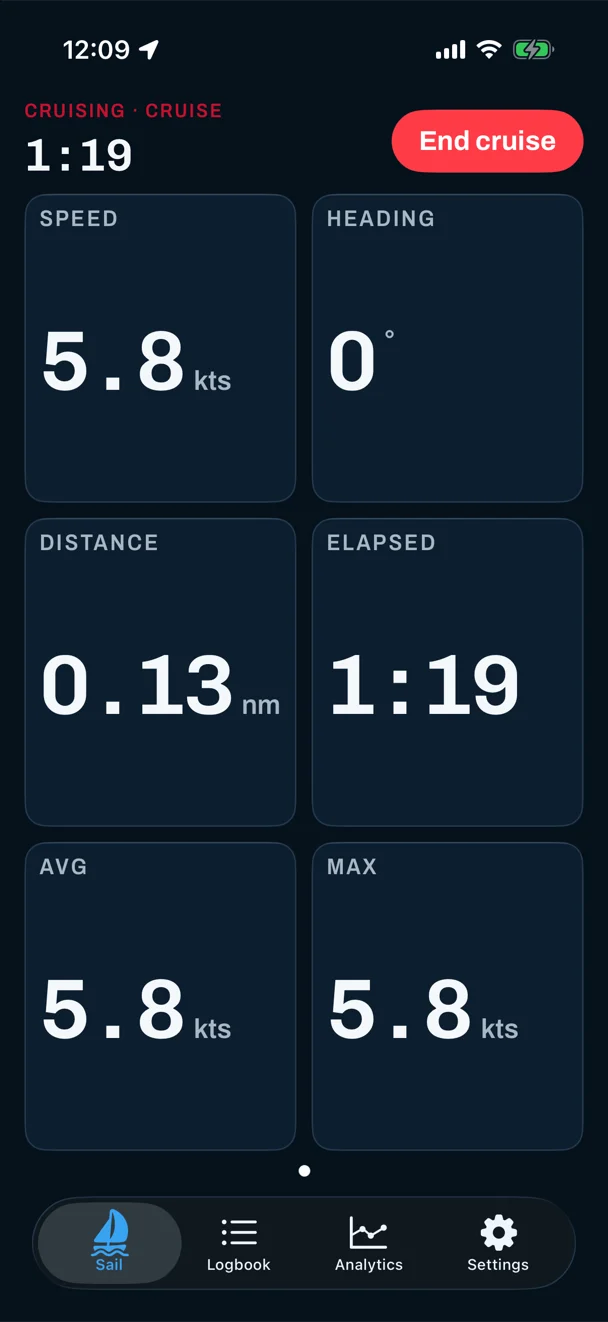
Be clear about what it is: speed and distance over the ground from GPS, not through the water, and no depth, charts or routing. It's a speed, heading and heel display and a logbook, not a way to navigate.
Every day out, in the Logbook
Each cruise lands in the Logbook with its track on a map, colored by speed, and the phone keeps your season: how many sails, how far, your longest. Long days are fine: the track is saved less often as the hours go by, and ending always saves everything. Add a wind afterwards and you get the polar, port vs starboard and upwind vs downwind for the day. There's no Coach card on a cruise, because there's no race to grade.
And if you race too, switch the type back to Race and the countdown, the line and the Coach come back, in the same Logbook. See for dinghies or for keelboats.
Questions
Do I need instruments on the boat?
No. Cruise mode uses only the GPS, compass and motion sensors in your iPhone and Apple Watch. Nothing is wired into the boat.
Is Cruise mode free?
Yes. Recording a cruise and the live readouts are free. Each cruise counts toward your first five sessions with the full analysis, like a race; after that, Pro at $4.99 a month or $29.99 a year keeps your whole history open.
Can I use just the Apple Watch?
Yes. The watch records a cruise on its own and syncs it to your iPhone afterwards. It needs watchOS 10.6 or later, and the iPhone iOS 17.6 or later.
Sources
Everything here describes Sail Tactician 3.2 and is taken from the in-app User Guide (Settings → Support → User Guide): Default Session Type, Device Mounting and Session Detail.
What changed
- First published.
Put a racing instrument on your wrist.
Start line, wind shifts and VMG at a glance, and a coach in your pocket afterwards. Free to download for Apple Watch and iPhone, with the full debrief on your first five races.
Download on the App Store