
The short version
- Who it's for
- Club, junior and fleet coaches, and the sailor in a fleet who ends up running the debrief.
- What it does
- Sailors share a day's races as one file. Any sailor can compare their race with a teammate's: who led, where it changed hands, and a two-boat replay. Guided drills score every tack and gybe.
- What it doesn't
- Comparison is two boats at a time, one of them yours. There's no whole-fleet replay, no team account and no coach dashboard. Each sailor runs their own app.
- Allowed?
- Yes. The terms say a coach, club or fleet may use the app, and races sailors share, to coach those sailors, paid or unpaid.
The hardest part of a debrief is agreeing on what happened. Two sailors come ashore with two stories about the second beat. Sail Tactician puts both tracks on one map, with who was ahead and the moments the lead moved.
Sharing a day's races
After racing, a sailor opens the Logbook, taps Select, ticks the day's races and taps Share. That sends one file with every race in it, by AirDrop, Messages or anything in the share sheet. Their name and boat go with it so the other app can label them. Heart rate never does.
The person receiving taps the file and chooses Copy to Sail Tactician. Shared races live under Shared Sessions, grouped by sailor, and stay out of the receiver's own Logbook and stats. The most recent 50 races, up to 150 MB, are kept on that device.
Comparing two boats
Open one of your own races and choose Compare, or tap a shared race. The app offers only races that overlap yours in clock time, by at least two minutes, and lines them up from the start gun. Both tracks are resampled to one point a second, so neither is flattered.
- The headline: who finished ahead over the shared stretch, in distance and seconds.
- Lead Over Time: measured as progress around the course, so it reads correctly upwind and down. Drag along it and both boats move on the map.
- Where It Changed: the stretches where the lead really moved, each with its likeliest cause: boat speed, a tack or gybe, pointing, or a different side of the course.
- Replay: both boats together at up to 8×, skipping between key moments or maneuvers.
It suits pairs: two sailors who race each other stop arguing about who was faster and look at the tack where it changed.
How it fits a coach, honestly
Comparison is always one of your races against one shared race. So a coach who watches from a RIB can't line up two sailors on the coach's own phone. The comparison happens on the sailors' phones, and the coach runs the conversation around it. A coach who sails, as a tuning partner or in the fleet, can compare themselves with each sailor in turn.
- Two boats at a time. There's no whole-fleet replay. For fleet-wide analysis, use a tool built for it; the best sailing apps covers a few.
- No team accounts. Each sailor installs the app and has their own Logbook, synced through their own iCloud. Nothing goes to a server of ours.
- Sharing and comparison are Pro, on both ends: the sailor sending and the sailor comparing each need it.
Drills that score themselves
A guided workout is an ordered list of drills, each with a target: ten tacks, a three-minute VMG hold, a set of starts. Once the countdown ends, the phone or watch becomes a coaching screen with one big word at a time: TACK, then GOOD or one thing to fix, such as HEAD UP or SMOOTHER. Every call is spoken. The watch can run a drill by itself, with no phone on board.
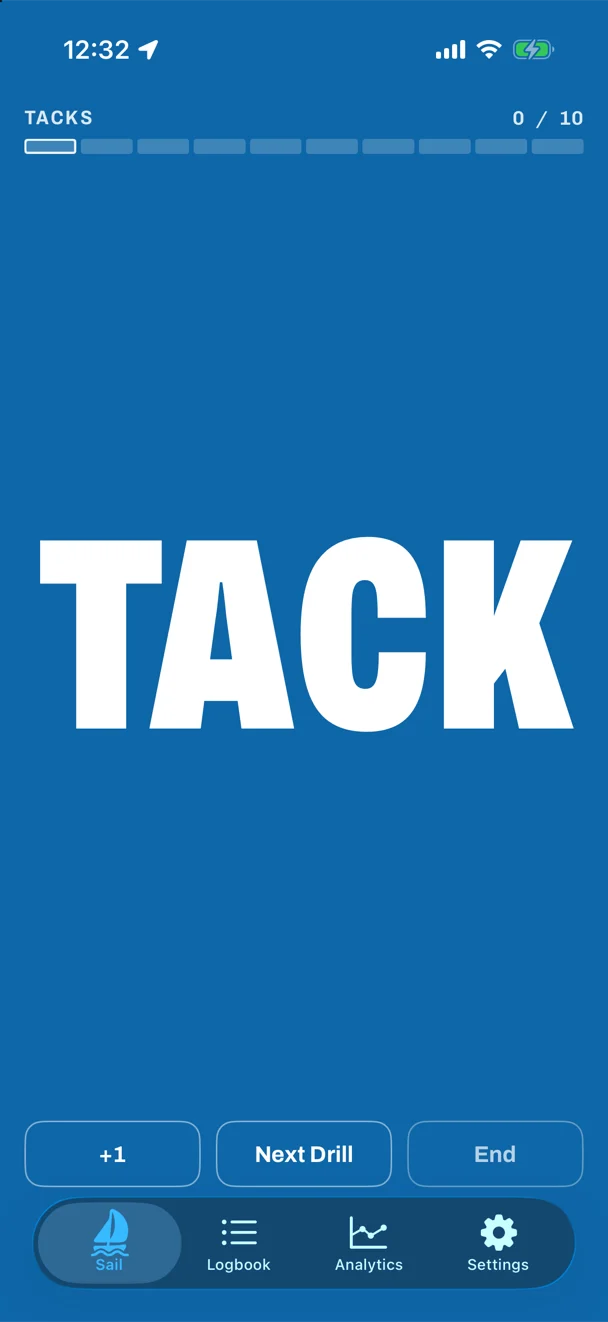
Every tack and gybe is scored on speed lost, exit angle and time to rebuild. After four, each turn is judged against the sailor's own usual turn in that drill, not a fixed number. On real races a tack costs roughly 45% of the boat's speed through the turn, so the target is a better tack for that sailor, not a textbook one.
You can build your own workouts and rewrite each drill's on-screen Technique instruction in your own words. Tap any drill's name for its own page: how to do it, what a good one looks like, and the sailor's past reps.
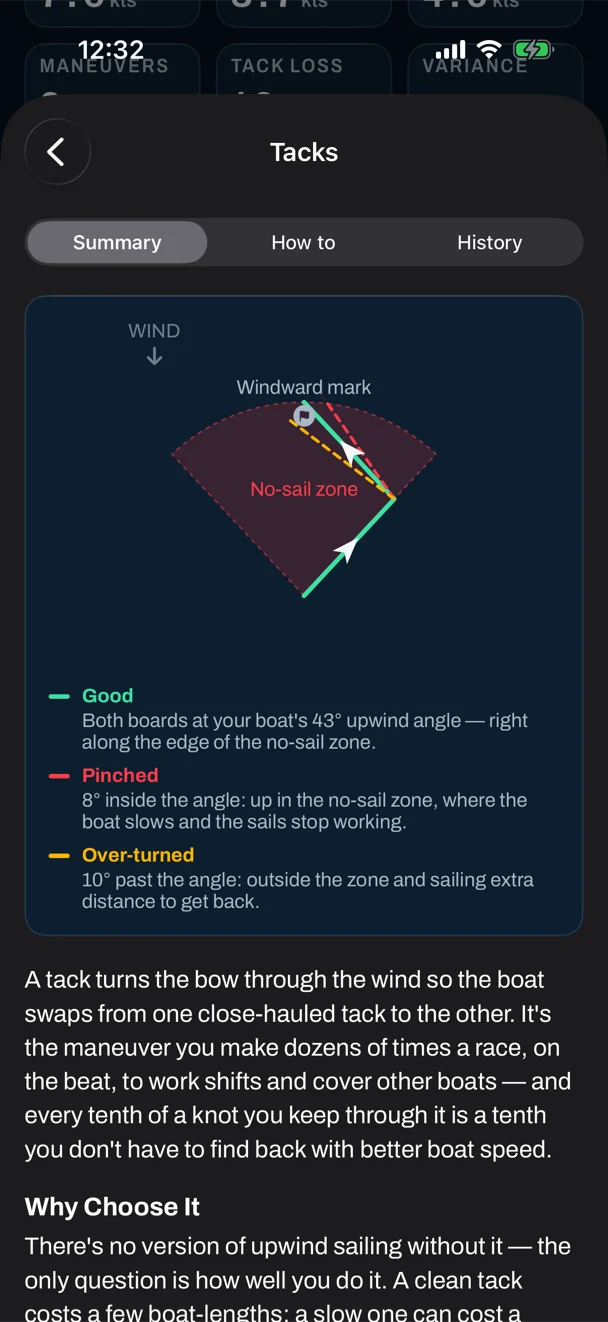
The tacking drill is free; the others are Pro. Training is in beta, because reps are spotted from GPS course. What each sailor sees on the water is covered in for dinghies and for keelboats.
Questions
Can I charge for coaching with Sail Tactician?
Yes. The terms of service say a coach, club or fleet may use the app, and the races sailors share with them, to coach those sailors, paid or unpaid. For anything beyond coaching, such as building a commercial service on it, write to support@sailtactician.com first.
Can I compare a whole fleet, or set up a team account?
No to both. A comparison is two boats: one of your own races against one shared race. Each sailor uses their own app and subscription, and races move between sailors as shared files.
Do both sailors need Pro to compare?
Yes. Sharing a race and opening Shared Sessions or Compare are Pro features, so the sender and the receiver each need it. Pro is $4.99 a month or $29.99 a year, with the first month free.
What do my sailors need?
An iPhone with iOS 17.6 or later. An Apple Watch with watchOS 10.6 or later is optional, and lets them race and drill with the phone left ashore.
Sources
Everything here describes Sail Tactician 3.2 and is taken from the in-app User Guide (Settings → Support → User Guide): Sharing & Comparing, Free vs Pro and Training & Coaching; and from the Sail Tactician terms of service.
What changed
- First published.
Put a racing instrument on your wrist.
Start line, wind shifts and VMG at a glance, and a coach in your pocket afterwards. Free to download for Apple Watch and iPhone, with the full debrief on your first five races.
Download on the App Store